Remote Partners AI

Plumbing Support

Plumbing answering support when staffing gaps turn into missed calls.

Most plumbing companies do not lose calls because owners forgot phones matter. They lose coverage when hiring, training, sick days, no-shows, turnover, and dispatcher overload make the office function too fragile. Remote Partners AI helps scope Azpired-delivered plumbing support for overflow calls, after-hours intake, emergency triage, quote requests, callbacks, and follow-up, while urgent or unclear work still escalates to your dispatcher, manager, or on-call technician.

Emergency triage After-hours calls Quote intake Callback lists
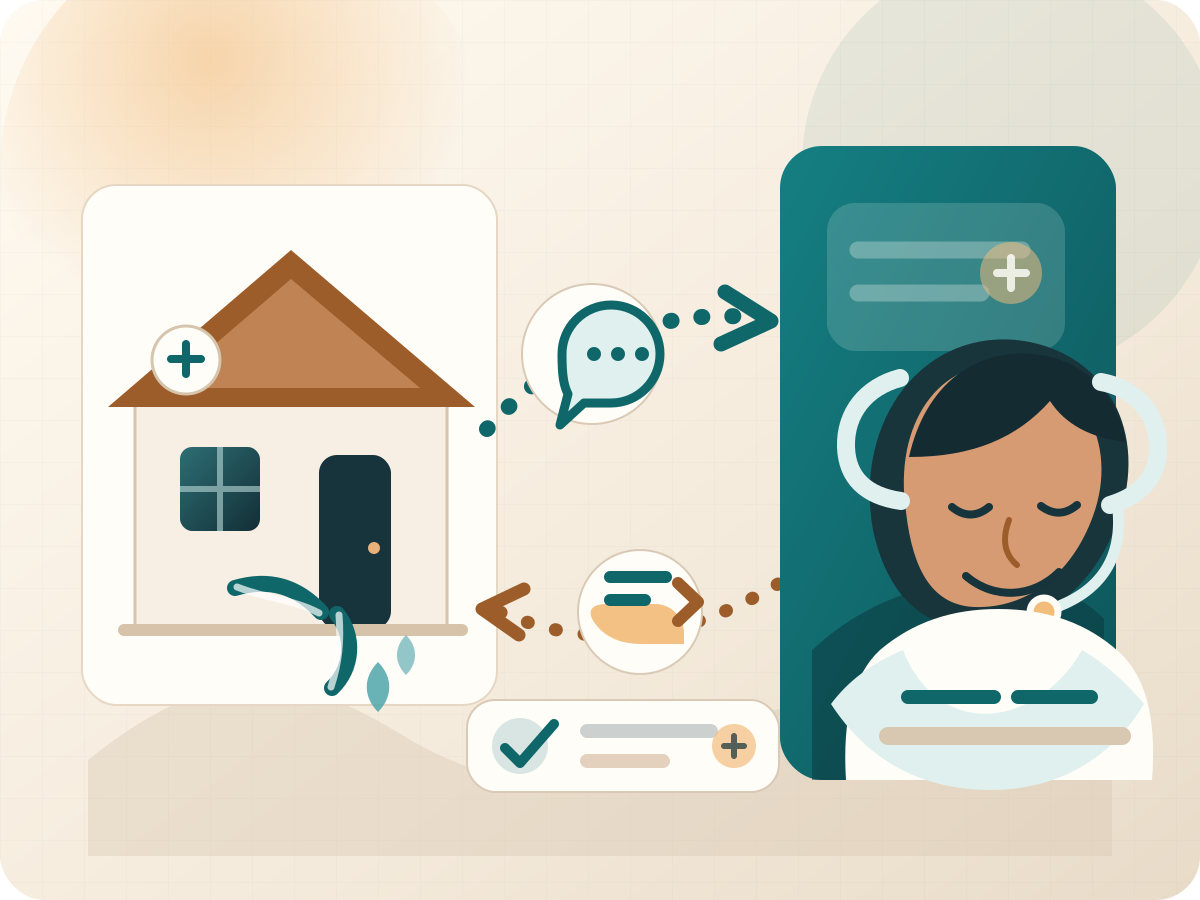
Homeowner plumbing issue connected to a Cebu-based support agent as backup coverage for overloaded or unavailable office staff.

Direct Answer

What is the real reason plumbing calls get missed?

Missed calls are usually the visible symptom. The root cause is coverage reliability: hiring is expensive, training takes time, employees get sick, people leave for more pay, and dispatchers get overloaded. Outsource the repeatable support workflow first so one staffing gap does not become voicemail, slow callbacks, and lost jobs.

Stabilize Add trained backup coverage when employees are absent, overloaded, new, or hard to replace.
Protect Keep overflow calls, after-hours plumbing requests, quote inquiries, and routine updates moving.
Standardize Use scripts, intake rules, escalation paths, and QA so coverage does not depend on one person.
Recover Keep estimates, missed calls, appointment confirmations, and status updates from slipping.

Before Agents Go Live

How we make outsourcing work before anyone answers your calls.

The support workflow has to be teachable before it can be delegated. We help turn your plumbing workflow, tools, scripts, customer language, and escalation rules into training and QA so agents are not guessing from another country.

Readiness 1

Discover the real workflow

Walk through how calls, quote requests, emergencies, callbacks, ServiceTitan or CRM notes, and handoffs actually move today.

Readiness 2

Turn tribal knowledge into SOPs

Use AI-assisted drafting and human review to convert owner, dispatcher, or office-manager know-how into scripts, fields, and decision rules.

Readiness 3

Map tools and access boundaries

Document where agents work, what they can update, what they can only note, and what must stay with your dispatcher or manager.

Readiness 4

Build training from your process

Create agent training modules from your SOPs, plumbing call categories, customer language, escalation paths, and tech-stack walkthroughs.

Readiness 5

Test agents before launch

Run scenario quizzes, roleplays, and sample-call reviews so agents practice leaks, clogs, quote requests, angry callers, and unclear jobs.

Readiness 6

Launch one narrow workflow

Start with one support workflow such as overflow, absence coverage, after-hours intake, callbacks, quote intake, or emergency triage.

Readiness 7

QA calls against the SOP

Use AI-assisted review plus human manager checks to compare calls, notes, required fields, tone, escalation, and follow-up against the workflow.

Readiness 8

Improve the SOP after real calls

When live work reveals missing language, unclear rules, or tool friction, update the SOP, training, and QA checklist instead of blaming the agent.

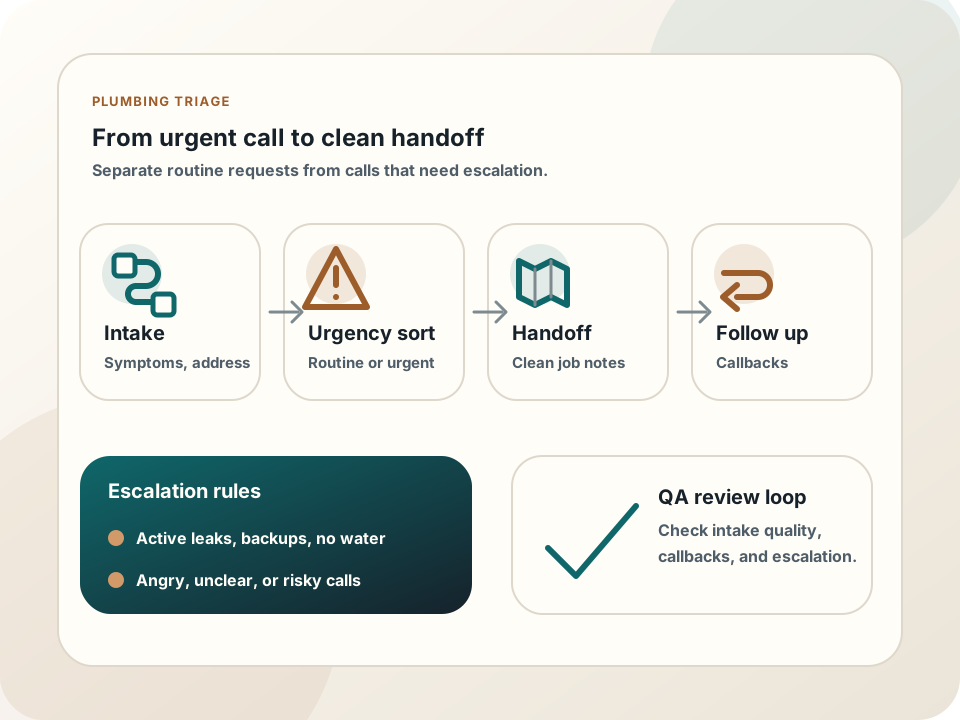
Plumbing emergency triage workflow showing intake, urgency sorting, dispatcher handoff, follow-up, escalation rules, and QA review.

Plumbing workflow visual

How staffing backup turns into controlled call coverage

The support workflow starts by identifying where coverage breaks, then turns scripts and escalation rules into repeatable answering, triage, callbacks, and follow-up.

01

Map where staffing coverage breaks

Identify when calls slip: sick days, after-hours windows, lunch breaks, dispatcher overload, training gaps, employee turnover, seasonal spikes, or owner-only coverage.

02

Turn tribal knowledge into scripts

Document what agents ask, what they can say, what they should never promise, which plumbing details matter, and when your dispatcher or manager takes over.

03

Launch one backup workflow first

Start with absence coverage, overflow calls, after-hours answering, missed-call callbacks, quote intake, or emergency triage before expanding scope.

04

Review reliability, not only call volume

Check coverage gaps, note quality, escalation accuracy, callback completion, booked-job handoff, training issues, and recurring customer problems.

Outcome The office has a support bench, urgent work still escalates, and routine follow-up does not disappear when one employee is absent or overloaded.

Support Scope

What a backup support team can stabilize.

The safest starting point is not replacing your best people. It is protecting the repeatable office work they keep getting pulled into: calls, intake, callbacks, notes, follow-up, and escalation handoff.

  • Add a trained support bench for overflow, after-hours, absence coverage, and busy windows.
  • Reduce dependence on one dispatcher, receptionist, office manager, or owner carrying every call.
  • Answer plumbing calls using your script, approved language, and escalation rules.
  • Collect job details before a dispatcher, manager, or technician reviews the request.
  • Document urgency signals, customer context, address details, and next-step notes.
  • Support missed-call callbacks, quote intake, appointment reminders, and status updates.
  • Help keep chat, ticket, inbox, or CRM queues tied to plumbing requests moving.
  • Use AI to assist with call summaries, routing support, QA review, and follow-up drafts.

Launch Path

How to add coverage without losing control.

Start with the staffing failure point you can see and measure. Then expand only after scripts, escalation accuracy, callback completion, and QA review are working.

Step 1

Map where staffing coverage breaks

Identify when calls slip: sick days, after-hours windows, lunch breaks, dispatcher overload, training gaps, employee turnover, seasonal spikes, or owner-only coverage.

Step 2

Turn tribal knowledge into scripts

Document what agents ask, what they can say, what they should never promise, which plumbing details matter, and when your dispatcher or manager takes over.

Step 3

Launch one backup workflow first

Start with absence coverage, overflow calls, after-hours answering, missed-call callbacks, quote intake, or emergency triage before expanding scope.

Step 4

Review reliability, not only call volume

Check coverage gaps, note quality, escalation accuracy, callback completion, booked-job handoff, training issues, and recurring customer problems.

Tool Context

Where this support workflow touches your daily operation.

The useful work is not just answering more contacts. It is knowing which systems, fields, notes, and handoffs make the next internal step easier.

Dispatch board or booking calendar

Plumbing support should capture address, access notes, leak or clog context, and timing before your dispatcher approves the next step.

CRM, job history, or field-service platform

Agents need clear rules for reading prior job notes, flagging warranty context, and avoiding updates that change price, scope, or technician commitments.

Escalation contact tree

Active water damage, sewer backup, property risk, angry customers, and unclear calls need a fast path to the on-call owner or dispatcher.

Case Scenario

Saturday leak triage when the office bench is thin

A plumbing company has one dispatcher covering weekend calls while the owner is on jobs. Routine quote requests and true emergencies are arriving through the same phone line.

  • Agents answer and separate active leaks, backups, water-heater issues, quote requests, and appointment questions.
  • Routine requests receive documented notes and callback timing for business-hours review.
  • Active property-risk calls escalate with location, shutoff status, photos or caller notes when available, and customer urgency.
  • QA checks whether the agent followed the emergency tree instead of treating every call like a normal message.

Result:The plumbing team gets backup coverage without outsourcing licensed judgment, pricing promises, or emergency dispatch decisions that still belong to the internal team.

Comparison

How plumbing backup compares with common alternatives.

Plumbing owners usually compare outsourcing against another office hire, a generic answering service, or owner-carried after-hours coverage.

Another hire

Best when training time and coverage risk are low

Hiring can help, but one employee still creates sick-day, turnover, lunch-break, and after-hours coverage gaps.

Answering service

Best for basic messages

A generic service can take calls, but plumbing work needs emergency triage rules, escalation timing, and useful handoff notes.

Remote Partners AI

Best for documented backup coverage

Use a trained support bench for overflow, absence coverage, triage, callbacks, and follow-up while technical decisions stay internal.

Related Services

The staffing problem connects back to real support services.

The support model is practical: answering, follow-up, QA, escalation, and back-office help all connect to support services that reduce dependence on one overloaded person.

FAQ

Plumbing answering questions.

Can an outsourced team triage plumbing emergencies?

Yes, if your emergency rules are documented. The team can answer, collect details, identify urgency signals, and escalate active leaks, flooding, backups, safety issues, or unclear requests to your on-call owner.

Should outsourced agents quote plumbing prices?

Only if your company gives approved language and rules. Otherwise, agents should collect details, explain the next step, and route pricing, warranty, refund, or exception questions to your internal team.

What plumbing calls are best to outsource first?

Start where staffing coverage is most fragile: after-hours answering, absence coverage, overflow calls, missed-call callbacks, quote intake, appointment confirmations, basic customer updates, and documented emergency triage.

Isn't the real problem just hiring better employees?

Sometimes hiring helps, but it does not remove the reliability problem by itself. Plumbing companies still deal with training time, sick days, no-shows, turnover, pay competition, and overloaded dispatchers. Outsourcing works best as managed backup coverage for repeatable phone and follow-up work, not as a replacement for your licensed technicians or internal decision makers.

Does outsourcing replace our dispatcher or office manager?

No. The stronger model is to protect them. Remote Partners AI can handle repeatable answering, intake, callbacks, and follow-up so your dispatcher, office manager, owner, or on-call technician can focus on urgent judgment, scheduling decisions, exceptions, and customer-sensitive issues.

Where does AI help in plumbing answering support?

AI can help draft SOPs, create training modules, generate quizzes and roleplay scenarios, summarize calls, support routing, and flag QA issues. The core promise is still trained human coverage, documented process, and manager-visible quality so staffing gaps do not quietly become missed work.
Next Step

Want to reduce staffing coverage risk without another fragile hire?

Bring us the part of your office coverage that keeps breaking: sick-day coverage, turnover, after-hours calls, dispatcher overload, quote intake, callback pressure, or emergency triage risk. We will help map the cleanest first support workflow.