Remote Partners AI

Plumbing Answering Services

Plumbing answering services for emergency flood calls, leaks, backups, and after-hours intake.

Plumbing answering services help companies answer emergency flood calls, leaks, backups, water-heater issues, quote requests, and after-hours calls without depending on one overloaded office person. Agents collect urgency signals, property-risk details, location, access notes, and callback context before routing unclear or high-risk work to your internal team.

Emergency flood callsLeak intakeAfter-hours coverageQuote callbacks
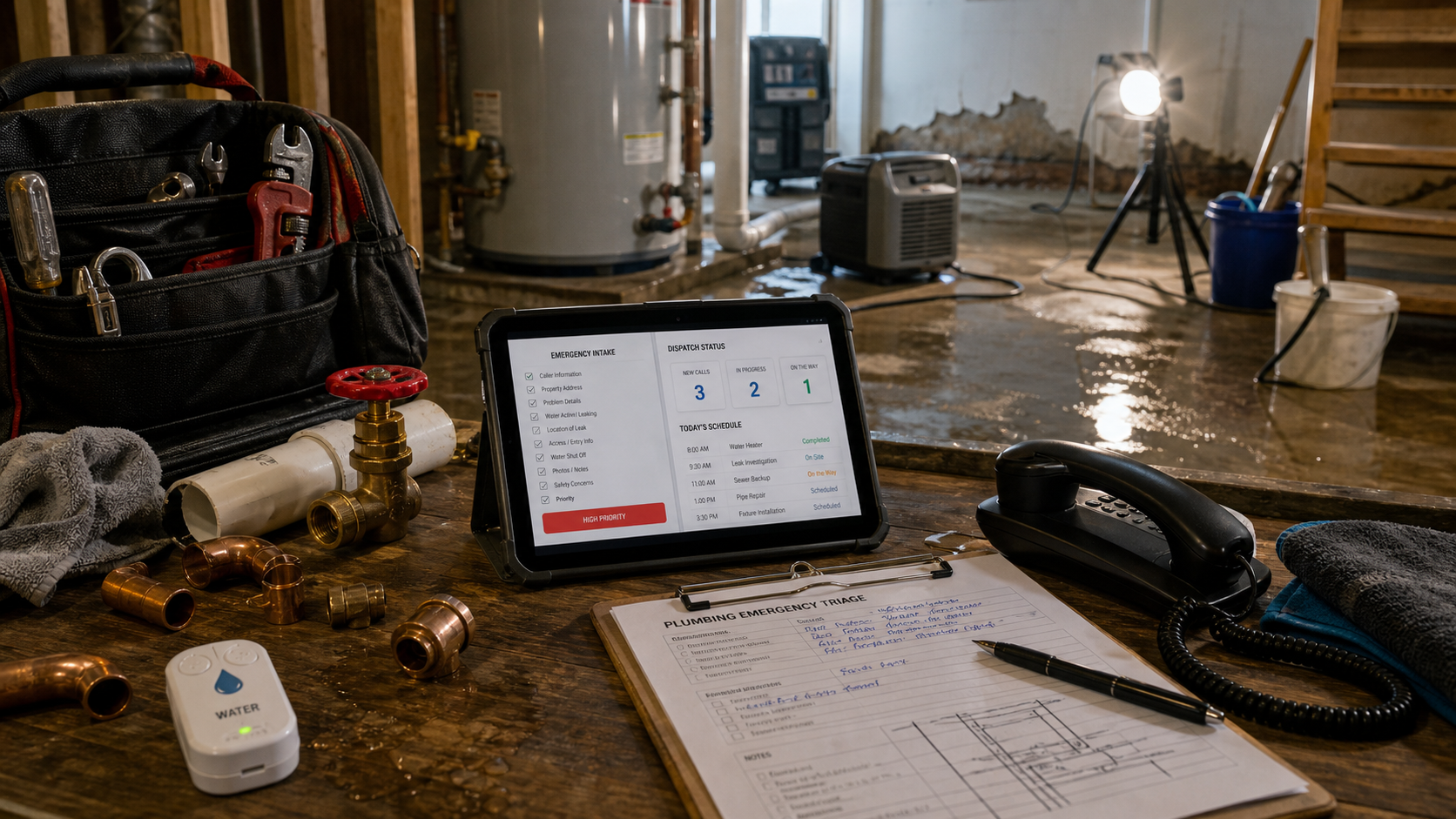
Plumbing emergency answering workflow with leak cleanup, pipe fittings, a phone, intake checklist, and dispatch status tablet.

Direct Answer

What does plumbing answering services cover?

Plumbing answering services help companies answer emergency flood calls, leaks, backups, water-heater issues, quote requests, and after-hours calls without depending on one overloaded office person. Agents collect urgency signals, property-risk details, location, access notes, and callback context before routing unclear or high-risk work to your internal team.

Capture emergencies Answer flood, leak, sewer backup, burst pipe, water heater, and urgent service calls with a defined triage path.
Protect dispatch Collect property-risk details and route urgent or unclear cases instead of forcing agents to guess.
Cover staffing gaps Keep calls and callbacks moving during sick days, turnover, training gaps, and after-hours windows.
Follow up Support quote intake, missed-call callbacks, appointment reminders, status updates, and routine admin notes.

Plumbing Answering Services workflow

How the trade-specific workflow moves from call to reviewed handoff

The workflow starts with a narrow call type, turns required details into a checklist, routes risk to internal owners, and reviews the result before expanding.

01

Separate emergency and routine plumbing calls

Define the call types, property-risk signals, customer language, and service categories agents must recognize.

02

Write the triage and handoff script

Turn emergency flood calls, leaks, backups, quote requests, and callbacks into required fields and escalation rules.

03

Train against real scenarios

Use sample calls and roleplays for angry callers, unclear water damage, quote shoppers, after-hours issues, and warranty questions.

04

Review outcomes with QA

Check note completeness, escalation timing, callback completion, approved language, and whether urgent calls reached the right person.

Outcome The office gets cleaner notes, customers get faster coverage, and exceptions stay with the team that owns the decision.

Trade pain points

Where this trade-specific support workflow usually starts breaking.

The safest starting point is the pressure your office can already name: missed calls, incomplete notes, slow callbacks, after-hours uncertainty, or follow-up that waits too long.

Emergency flood calls need live intake and fast routing

A caller dealing with active water damage is not comparing brochures. They need a human response, clean details, and a path to the right internal owner.

The office coverage problem is bigger than one missed call

Hiring, training, sick days, turnover, pay competition, and dispatcher overload can all turn into slow callbacks and messy handoffs.

Quotes and routine requests still need disciplined follow-up

Not every plumbing call is an emergency, but estimate follow-up, quote intake, appointment changes, and customer updates still affect revenue.

Support scope

What agents can help handle first.

The starting scope should be repeatable, measurable, and easy to QA. Authority expands only after the scripts, fields, escalation paths, and manager review are working.

  • Answer plumbing calls for overflow, after-hours, absence coverage, and busy windows.
  • Collect leak, flood, backup, clog, water heater, fixture, quote, and routine service details.
  • Document property-risk signals, location, access notes, preferred timing, and callback needs.
  • Escalate emergencies, unclear requests, angry customers, pricing, warranty, or safety-sensitive calls.
  • Support missed-call callbacks, quote follow-up, appointment confirmations, and CRM notes.

Launch path

How to roll out the workflow without losing control.

Start with the narrow workflow that already costs time or revenue, then expand after the notes, escalation timing, and QA review are consistently working.

Step 1

Separate emergency and routine plumbing calls

Define the call types, property-risk signals, customer language, and service categories agents must recognize.

Step 2

Write the triage and handoff script

Turn emergency flood calls, leaks, backups, quote requests, and callbacks into required fields and escalation rules.

Step 3

Train against real scenarios

Use sample calls and roleplays for angry callers, unclear water damage, quote shoppers, after-hours issues, and warranty questions.

Step 4

Review outcomes with QA

Check note completeness, escalation timing, callback completion, approved language, and whether urgent calls reached the right person.

FAQ

Plumbing Answering Services questions.

Can plumbing answering services handle emergency flood calls?

They can answer, collect details, identify urgency, and escalate according to your rules. Active flooding, safety concerns, property damage, or unclear situations should route to your dispatcher, owner, manager, or on-call technician.

What plumbing calls are best to outsource first?

Start with overflow calls, after-hours answering, missed-call callbacks, quote intake, appointment confirmations, routine updates, and documented emergency triage.

Will outsourced answering replace our dispatcher?

No. The stronger model protects your dispatcher by moving repeatable intake, callbacks, and follow-up to a trained support bench while internal owners keep judgment and exception decisions.

Can agents update our plumbing CRM or field-service software?

Yes, when permissions, field rules, note standards, approved wording, and blocked actions are documented for tools such as ServiceTitan, Housecall Pro, Jobber, or your CRM.
Next step

Turn this trade-specific pressure into a support coverage plan.

Bring the calls, handoffs, tools, and follow-up tasks that keep slipping. We will help define the first safe workflow before agents go live.