SHRM Says AI Now Touches 46% of Work for AI-Enabled Employees
The headline is not that every role is automated. It is that AI-assisted employees now spend almost half their work inside AI-shaped workflows, while managers report the heaviest change.

Direct answer
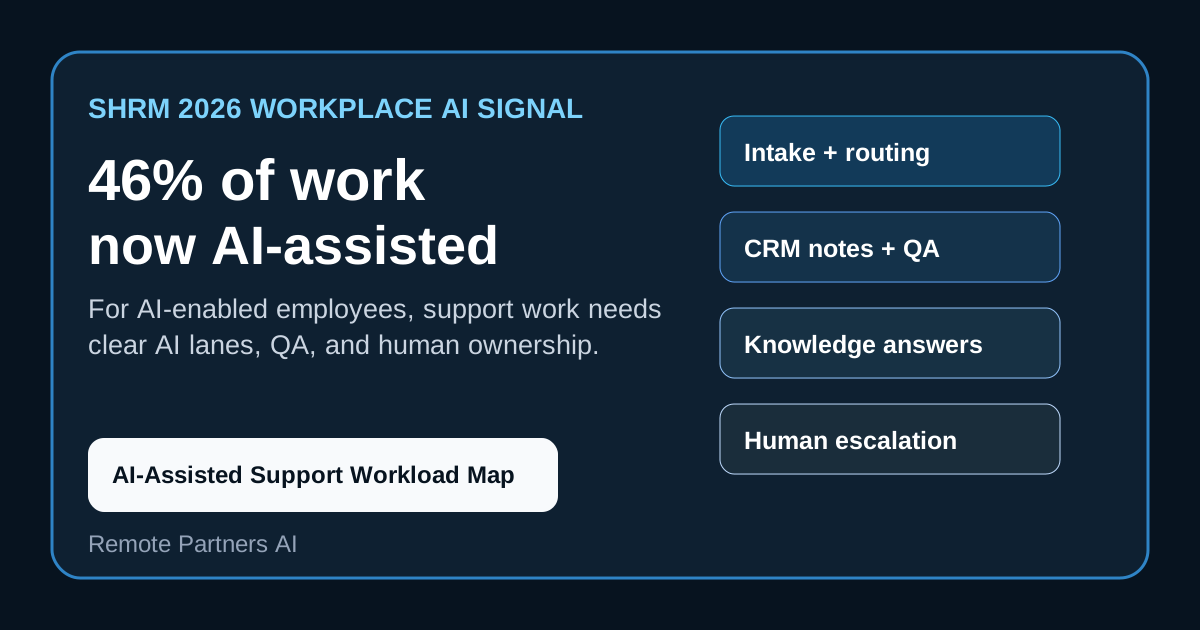
SHRM’s 2026 AI workplace report says workers in AI-enabled workplaces average 46% of their work involving AI assistance. The report also says workers spend time fixing AI output, while managers and directors report heavier AI-assisted workloads than individual contributors.
For support buyers, the practical conclusion is simple: AI is already becoming part of the work surface. The next decision is not whether to “use AI.” It is how to divide customer operations work between AI assistance, trained remote operators, QA, and accountable human decision-makers.
What happened
SHRM published its 2026 workplace AI research based on a U.S. worker survey fielded in March and April 2026. The report says 41% of workers use AI, while 44% identify some AI output as low-quality “AI slop.”
The report also says workers with AI in their workplaces average 46% of work involving AI assistance. SHRM breaks that out by role level: individual contributors report a lower share, while managers and directors report higher AI-assisted work shares.
Gallup’s 2026 workplace research independently points in the same direction. It found that roughly half of employed U.S. adults use AI at least a few times a year, and employees in AI-adopting organizations report more workforce changes than employees in organizations not adopting AI.
Why this is trending
The story is trending because it moves AI adoption from software hype into job design. SHRM’s numbers describe real workflow pressure: more AI-assisted work, more management involvement, and a visible quality-control problem when employees need to fix weak AI output.
That matters in customer operations because support work is full of repeatable, text-heavy, data-dependent tasks. AI can summarize calls, draft replies, classify requests, update CRM fields, prepare knowledge answers, and flag QA issues. But the customer still expects accuracy, context, and ownership when the request is sensitive or messy.
The Remote Partners AI take
The wrong response is to treat 46% AI-assisted work as a reason to cut support coverage first.
The better response is to redesign the workload. AI can reduce repetitive handling, but only when a human team owns escalation, data cleanup, output review, exception handling, and customer trust. Remote support staffing becomes more valuable when it is paired with AI boundaries instead of used as a blunt replacement for automation.
AI-Assisted Support Workload Map
Use this map before changing staffing, outsourcing, or AI coverage.
| Support workload lane | AI can assist with | Human owner should keep | Buyer proof to request |
|---|---|---|---|
| Intake and triage | Classify intent, urgency, channel, and customer history | Spot sensitive cases, angry customers, missing context, and edge conditions | Routing accuracy, escalation rules, queue owner, and sample transcripts |
| CRM notes | Draft summaries, tags, next steps, and follow-up reminders | Approve relationship context, commitments, and account-sensitive updates | Field map, audit trail, redaction rules, and correction workflow |
| Knowledge answers | Retrieve policy, troubleshooting steps, and documented answers | Decide exceptions, refunds, legal, medical, financial, or unusual policy cases | Source grounding, article freshness, answer QA, and human override |
| Customer replies | Draft first-pass responses and status updates | Own tone, promises, empathy, priority, and final send decisions for risky cases | Approval rules, reopened-ticket rate, and customer satisfaction by queue |
| QA and coaching | Flag repeats, sentiment drops, transfer failures, and rework patterns | Decide coaching, process fixes, and customer recovery actions | QA rubric, failure examples, coaching log, and outcome trend |
| Reporting | Summarize volume, handle time, deflection, backlog, and reopens | Interpret what should change in staffing, workflow, or policy | Weekly operating report tied to rework, revenue risk, and complaints |
What buyers should do next
Start with task design, not a vendor demo.
- List the top 20 customer support tasks by volume, cost, and risk.
- Mark each task as AI-draft, AI-complete, human-review, or human-only.
- Identify which systems the task depends on: CRM, billing, orders, calendar, helpdesk, knowledge base, or call recordings.
- Add a rework measure for every AI-assisted lane.
- Assign named human owners for complaints, refunds, escalations, high-value accounts, regulated topics, and exceptions.
- Budget remote support coverage for QA, follow-up, cleanup, and human judgment before reducing headcount.
If you are planning a blended support model, use the support coverage calculator to estimate the human layer that still needs to sit behind AI.
The real takeaway
SHRM’s 46% figure is not a replacement plan. It is a workload-design warning.
AI is becoming part of daily support work. The companies that get the benefit without customer damage will separate AI assistance from human accountability, measure rework honestly, and keep trained remote specialists in the loop where trust, judgment, and follow-through matter.
Buyer FAQs
- What did SHRM report about AI-assisted work? - SHRM's 2026 report says workers in AI-enabled workplaces average 46% of their work involving AI assistance, with managers and directors reporting higher AI-assisted shares than individual contributors.
- Why is this relevant to remote support teams? - Customer support, CRM updates, research, reporting, QA, and routine replies are exactly the task lanes where AI assistance can shift work without eliminating human accountability.
- What is the buyer risk? - The risk is redesigning roles around productivity claims while underbudgeting review, rework, escalation, data cleanup, and customer judgment.
- What should buyers do first? - Map support work by task type, data dependency, customer risk, AI fit, and required human ownership before changing staffing or outsourcing coverage.
Sources
- SHRM 2026 AI workplace report - Primary source for the 2026 worker survey, AI-assisted work share, AI slop findings, and manager workload signal.
- Gallup AI workplace adoption analysis - Independent workplace research on U.S. employee AI adoption, productivity perception, and workforce change.
- Norton Rose Fulbright litigation trends pulse - Independent legal-risk context for AI, employment, privacy, and workforce-change exposure.