Remote Partners AI

Field-service platform support

Field-service software call answering and dispatch support.

Remote Partners AI supports field-service software workflows through trained agents who answer calls, gather intake details, prepare dispatch-ready notes, confirm appointments, and escalate urgent or unclear jobs inside approved user access. Start with documented job types, booking boundaries, service zones, blocked actions, and QA review. This is workflow support, not a certified integration claim.

ServiceTitanJobberHousecall ProWorkizFieldEdge
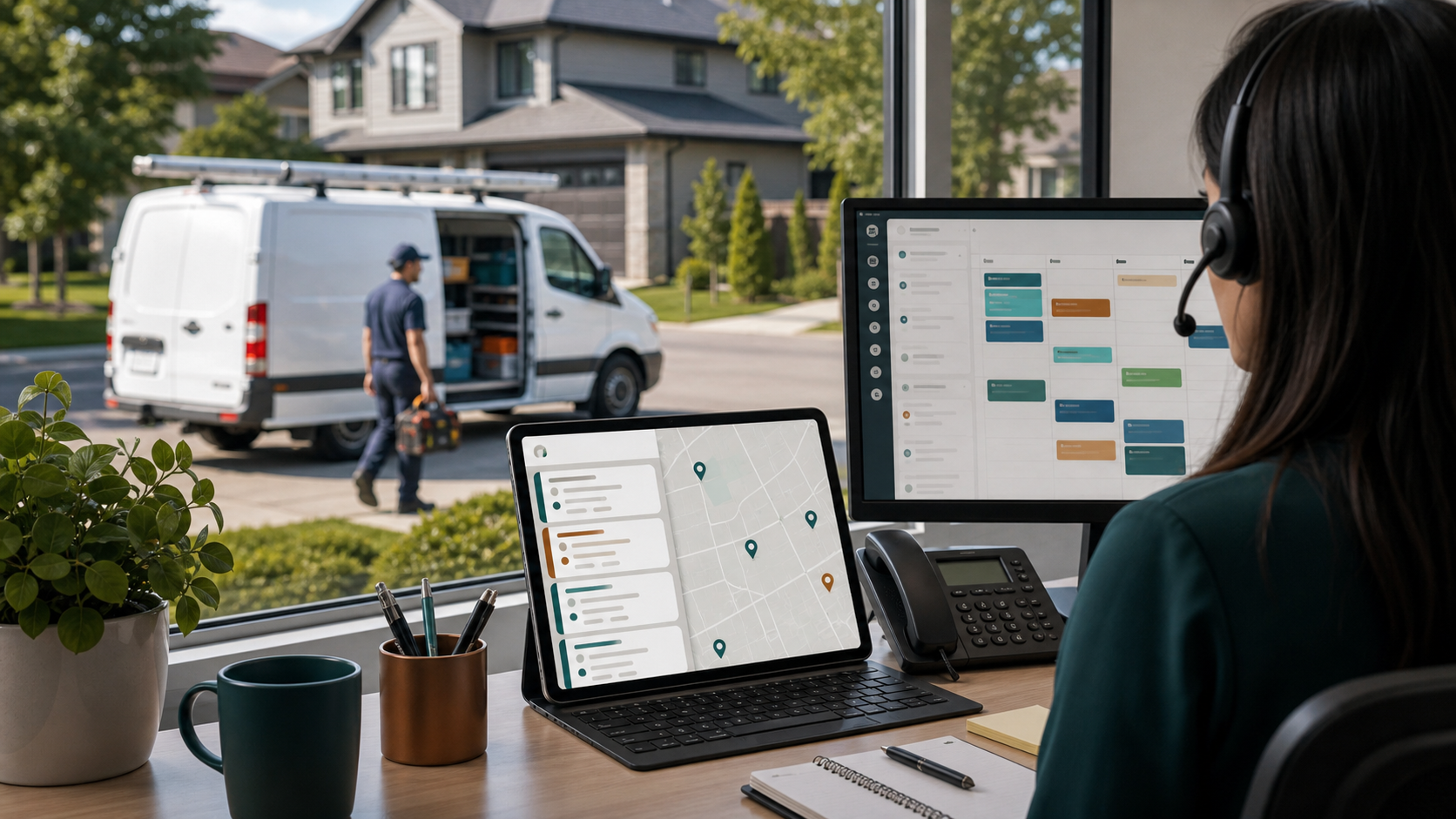
Field-service call answering desk with customer intake, dispatch map, job notes, and technician schedule screens.

field-service software support

Can Remote Partners AI support field-service software workflows?

Remote Partners AI supports field-service software workflows through trained agents who answer calls, gather intake details, prepare dispatch-ready notes, confirm appointments, and escalate urgent or unclear jobs inside approved user access. Start with documented job types, booking boundaries, service zones, blocked actions, and QA review. This is workflow support, not a certified integration claim.

  • Start with one repeatable queue before expanding platform access.
  • Keep sensitive decisions, policy exceptions, and unusual promises internally owned.
  • Review QA samples and escalation logs before adding more channels.

Best first scope Overflow calls, missed-call follow-up, appointment confirmations, dispatch-ready notes, and routine customer updates.
Keep internal Emergency dispatch judgment, pricing exceptions, warranty decisions, refunds, technician routing, and safety-sensitive calls.
Setup control Use role-based access, job types, required fields, booking windows, service zones, blocked actions, and QA samples.

field-service software workflow

How field-service software support moves from intake to QA review

The safest first launch keeps support agents inside approved daily execution tasks while the client owner controls sensitive decisions and edge cases.

01

Customer call enters

A homeowner calls, texts, or replies after a missed call, web booking request, estimate follow-up, or after-hours issue.

02

Agent checks the job rules

The support agent follows approved call scripts, service-area rules, job-type definitions, customer history, and booking boundaries.

03

Record or booking is prepared

The agent captures address, issue, urgency, access notes, preferred window, photos or history notes when approved, and next-step context.

04

Dispatch-sensitive cases escalate

Emergencies, unclear service zones, upset customers, special pricing, warranty issues, and technician judgment route back to the owner.

05

QA reviews the workflow

Managers review call notes, required fields, blocked actions, escalation timing, booking accuracy, and dispatcher feedback before expanding scope.

What changes Customers get faster follow-up, queues stay cleaner, and escalation patterns are visible before small misses become customer-facing failures.

Proof artifacts

field-service software artifacts buyers can review before expanding access.

Platform support should start with inspectable working files, not broad access. These artifacts show the first queue, setup rules, and QA review path before more actions move to the support team.

Launch artifact

field-service software first-queue packet

The first approved field-service software queue should define the tasks, fields, blocked actions, and escalation owner before volume grows.

  • Answer overflow, after-hours, missed-call, and appointment-question calls.
  • Collect customer details, service address, issue type, access notes, urgency, and preferred time windows.
  • Prepare or update job notes inside approved ServiceTitan, Jobber, Housecall Pro, Workiz, FieldEdge, or CRM workflows.

Setup artifact

field-service software setup checklist

The setup checklist turns platform access into operating rules agents can follow and managers can audit.

  • Document allowed screens, fields, role permissions, and who owns each login.
  • Map call types to job types, service zones, business units, priorities, and required notes.
  • Approve booking windows, callback rules, appointment-confirmation wording, and blocked promises.
  • Create escalation examples for emergencies, angry customers, warranty claims, pricing exceptions, and unclear zones.

QA artifact

field-service software QA sample

A weekly review of field-service software work should show what was solved, held, escalated, and returned to the client owner.

  • Overflow calls, missed-call follow-up, appointment confirmations, dispatch-ready notes, and routine customer updates.
  • Emergency dispatch judgment, pricing exceptions, warranty decisions, refunds, technician routing, and safety-sensitive calls.
  • Use role-based access, job types, required fields, booking windows, service zones, blocked actions, and QA samples.

Good first tasks

What a remote field-service software support team can handle.

The cleanest first month is recurring execution work that can be scripted, sampled, reviewed, and improved without giving away control of sensitive decisions.

  • Answer overflow, after-hours, missed-call, and appointment-question calls.
  • Collect customer details, service address, issue type, access notes, urgency, and preferred time windows.
  • Prepare or update job notes inside approved ServiceTitan, Jobber, Housecall Pro, Workiz, FieldEdge, or CRM workflows.
  • Confirm appointments, callback requests, estimate follow-ups, and routine customer updates using approved language.
  • Flag calls that need dispatcher, technician, owner, billing, warranty, or emergency review.
  • Support QA review with call samples, note-quality misses, escalation patterns, and booking-boundary exceptions.

Setup checklist

Give the support team operating rules before giving them more access.

Platform support works when permissions, response rules, handoff language, blocked actions, and QA expectations are documented before live volume grows.

01

Document allowed screens, fields, role permissions, and who owns each login.

02

Map call types to job types, service zones, business units, priorities, and required notes.

03

Approve booking windows, callback rules, appointment-confirmation wording, and blocked promises.

04

Create escalation examples for emergencies, angry customers, warranty claims, pricing exceptions, and unclear zones.

05

Define QA checks for field completeness, note clarity, escalation accuracy, and customer tone.

06

Start with one line, service area, or after-hours path before expanding booking authority.

Hiring model

Automation, freelancer, or managed offshore team?

The right choice depends on whether your team needs narrow task help, software automation, or a managed support team with coverage, QA, backup, and escalation ownership.

Model
Best use
Watchout
Native software automation
Useful for reminders, forms, route visibility, and structured records
Still needs humans for live calls, exceptions, unclear customers, and QA
Generic answering service
Can reduce voicemail and take simple messages
Often misses dispatch-ready fields, service-zone rules, and software note standards
Managed offshore team
Best for recurring call intake, customer updates, booking support, QA, and escalation discipline
Needs documented access, scripts, blocked actions, and dispatcher ownership

Buying context

When field-service software support is useful.

Buyers searching for field-service software support usually already have the software. The harder question is who will keep the queue moving, where escalation stops, and how the work will be reviewed after real customers arrive.

FAQ

Questions teams ask before outsourcing field-service software support.

Can outsourced agents work inside ServiceTitan, Jobber, Housecall Pro, Workiz, or FieldEdge?

Yes, when the business documents approved user access, fields, job types, service zones, booking boundaries, scripts, blocked actions, escalation rules, and QA samples. Agents should start with a narrow workflow before broader booking or record-update authority expands.

Is this a native field-service software integration?

Not by default. This page describes trained support agents operating inside approved field-service software workflows. Native API integrations, marketplace partner claims, or certified partner status should only be claimed when separately verified.

What field-service call answering work should move first?

Start with missed-call follow-up, overflow calls, appointment confirmations, routine customer updates, after-hours intake, and dispatch-ready notes. Keep emergencies, pricing exceptions, warranty issues, and unclear dispatch decisions with the internal owner.

What should be documented before agents answer field-service calls?

Document call scripts, job types, required fields, service zones, booking windows, customer-update language, blocked promises, escalation examples, QA checks, and who reviews early call samples.