Remote Partners AI

Automation decision

AI receptionist vs managed support team

AI receptionists can answer routine calls quickly. Managed support teams are built for the human layer around those calls: unclear requests, callbacks, CRM updates, QA, and escalation.

AI receptionistHuman handoffCallbacksCRM notesQA
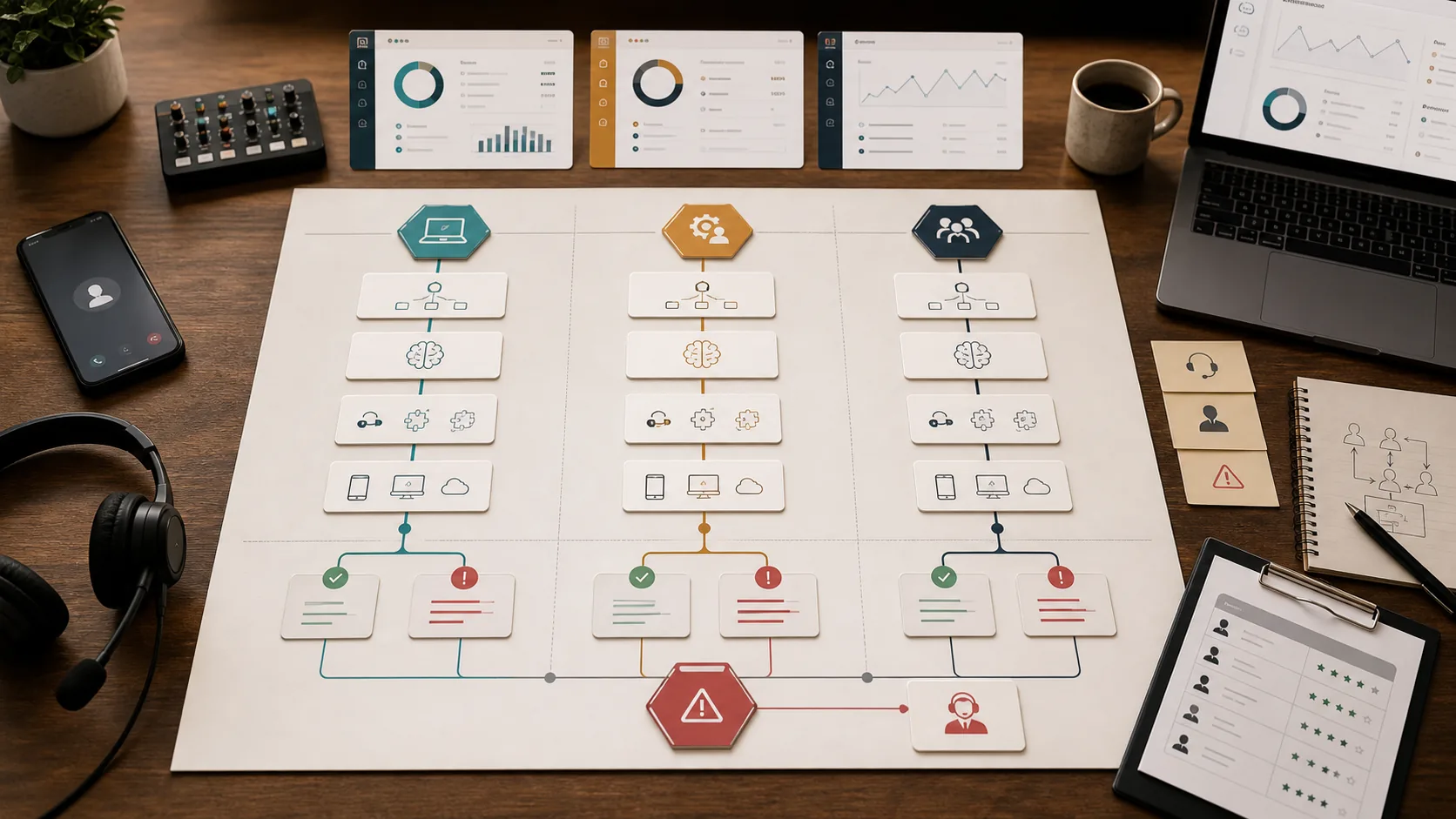
Voice-agent decision map showing AI receptionist automation, managed support review, CRM handoff, and human escalation.

Comparison answer

Choose based on who owns the next step.

Use an AI receptionist for narrow, low-risk call paths. Use a managed support team when the workflow needs people to review, update systems, recover exceptions, and protect the customer experience.

Side-by-side

AI receptionist vs Managed support team

Factor
AI receptionist
Managed support team
When it fits
Routine call paths, simple qualification, business-hour answers, and basic routing.
Call workflows that need judgment, customer empathy, tool work, and fallback ownership.
Failure handling
Depends on configured fallback rules and the quality of the transfer path.
A trained team can recover unclear calls, document context, and route exceptions.
Customer context
Good when the caller fits expected patterns.
Better when the caller has history, urgency, emotional context, or missing information.
Operational burden
Requires someone to monitor prompts, call outcomes, failed transfers, and integrations.
Includes review routines, coaching, handoff packets, and human follow-through.
Best combined use
Automate first-pass intake where the script is safe.
Staff the handoff, callback, QA, and exception path around the automation.
Use AI receptionist when

  • Calls are predictable and low risk.
  • The business has someone monitoring failed calls.
  • Transfers and fallback paths are already tested.

Use Managed support team when

  • Customers need reassurance, judgment, or follow-up.
  • Calls create CRM, ticket, calendar, dispatch, or callback work.
  • The business needs a human fallback team, not just software.

Decision path

How to make the model choice practical.

Step 1

Pick one call path the AI receptionist can safely handle.

Step 2

Define when automation must stop.

Step 3

Staff the callback, transfer, and QA path.

Step 4

Review transcripts and outcomes before adding more call types.

Planning tools

Model the workflow before buying the model.

The safer answer usually appears when you compare volume, coverage hours, tool access, QA, and escalation rules against the real work.

Related comparisons

Keep comparing the real alternatives buyers consider.

FAQ

Comparison questions.

Can an AI receptionist replace a support team?

It can replace some routine call handling, but it does not replace the operating layer around exceptions, callbacks, tool updates, QA, and customer-sensitive judgment.

What should happen when an AI receptionist gets stuck?

The handoff should pass caller context, collected details, missing information, and the reason a human needs to continue. A managed team can own that follow-up path.

Can Remote Partners AI work with AI receptionist tools?

Yes. Remote Partners AI can help scope voice-agent implementation, human handoff, QA review, and trained support coverage around approved call workflows.

Next step

Want the answer for your actual queue?

Share the calls, chats, tickets, admin tasks, and follow-up work that are slipping. We will help pick the first workflow and the safest operating model.