Remote Partners AI

ServiceTitan HVAC Support

ServiceTitan HVAC call center support for after-hours triage and dispatch-ready handoffs.

Yes. A ServiceTitan-aware HVAC call center can answer overflow and after-hours calls, collect no-heat and no-cool details, prepare dispatch-ready notes, follow documented job-type and service-zone rules, and escalate risky or unclear calls back to dispatch. Remote Partners AI supports that workflow through approved user-seat access and QA review; it is not a native API integration or certified Marketplace partner claim.

ServiceTitan HVAC call center No-heat calls No-cool calls QA review
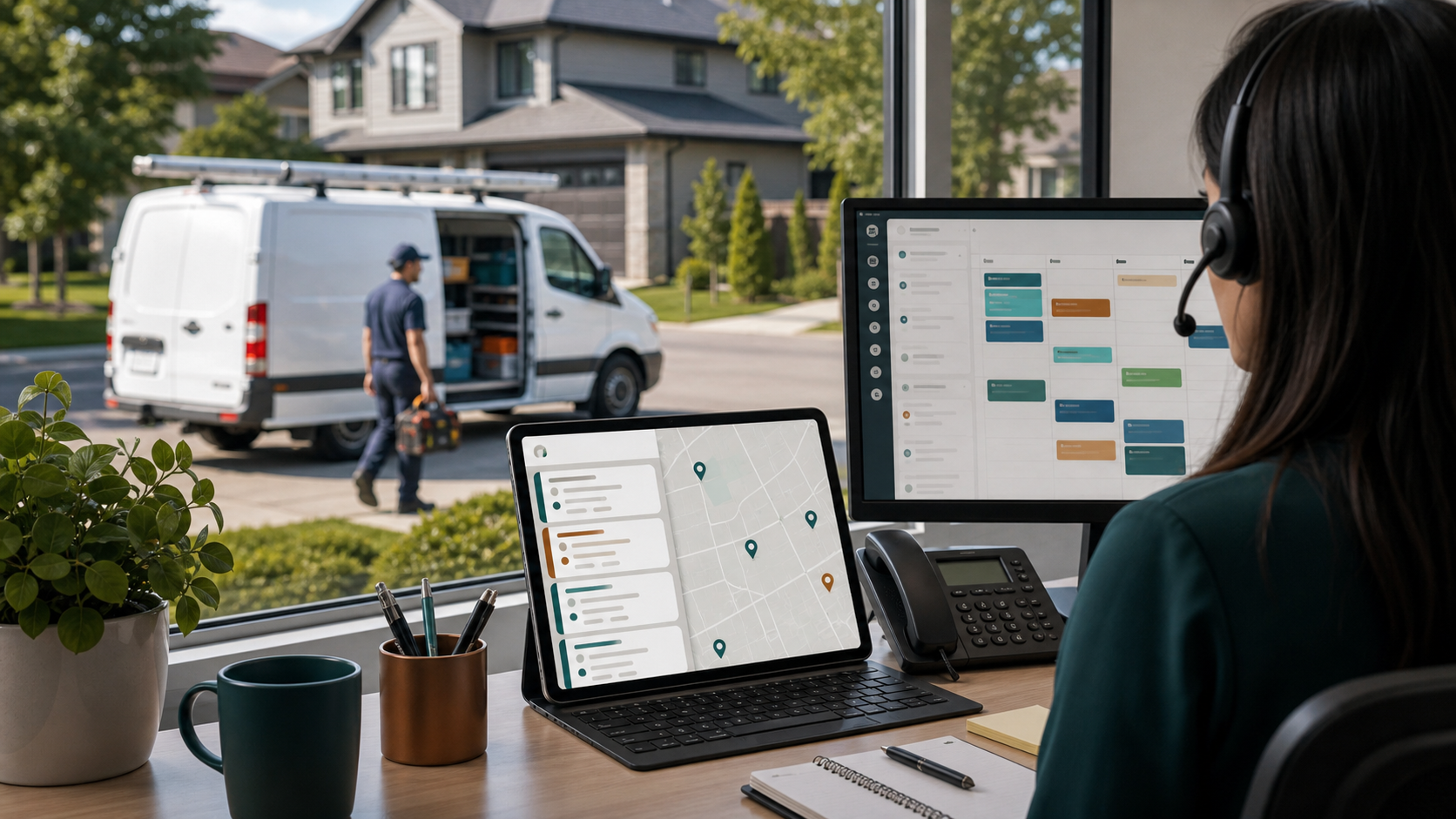
HVAC dispatch support scene showing a service van at a home and dispatch screens with job cards and route context.

Direct Answer

Can Remote Partners AI support ServiceTitan workflows for HVAC call center support?

Yes. Remote Partners AI supports documented ServiceTitan HVAC workflows through approved user-seat access, trained human agents, call scripts, job type rules, business unit rules, service zones, dispatch-ready notes, booking boundaries, escalation rules, and QA review.

  • ServiceTitan-aware support is workflow support, not a native API integration claim.
  • Certified Marketplace partner status should only be claimed when separately verified.
  • Dispatch-sensitive choices stay visible to your internal dispatcher or on-call owner.
Answer Cover HVAC overflow, after-hours, seasonal, and missed-call windows before buyers keep dialing competitors.
Qualify Capture no-heat, no-cool, maintenance, quote, warranty, service-area, and access details before dispatch review.
Work in approved seats Use approved ServiceTitan user access, fields, notes, job types, business units, service zones, and booking boundaries when documented.
Escalate Route safety-sensitive, angry, VIP, warranty, pricing, and dispatch-sensitive calls back to internal decision makers.

ServiceTitan HVAC workflow

How HVAC call center support moves from first call to reviewed handoff

The workflow starts with call-type mapping, ties intake to ServiceTitan fields, routes risk back to dispatch, and uses QA before the scope expands.

01

Map HVAC call types to ServiceTitan fields

Define which fields agents must capture for no-heat, no-cool, maintenance, estimate, warranty, callback, and routine customer-update calls.

02

Define booking and blocked actions

Document exactly when agents can book, when they can only prepare notes, and which status, dispatch, pricing, or warranty actions are blocked.

03

Train the ServiceTitan-aware call script

Practice caller scenarios against job types, business units, service zones, arrival windows, customer records, and escalation examples.

04

Launch with QA-visible handoffs

Review call recordings, notes, booking accuracy, escalations, blocked-action compliance, and dispatcher feedback before expanding authority.

Outcome Calls are answered faster, ServiceTitan notes are more useful, and dispatch-sensitive decisions stay visible.

Buyer Intent

What buyers mean by a ServiceTitan HVAC call center.

Most buyers are not only asking for a native software integration. They are asking whether calls can be answered live, whether the support team understands HVAC urgency, whether jobs can be prepared or booked inside approved ServiceTitan user seats, and whether dispatch still controls sensitive decisions.

Use the exact HVAC language callers use: no heat, no cool, emergency repair, maintenance, tune-up, estimate, warranty, and membership.

Name the ServiceTitan workflow pieces buyers care about: job type, business unit, service zone, customer record, dispatch board, arrival window, and notes.

Explain the boundary between approved user-seat work and formal API, Marketplace, or certified integration claims.

Show how human agents, AI summaries, QA review, and internal escalation work together instead of presenting one tool as a complete replacement.

HVAC Call Center Pressure

Why this page is different from general ServiceTitan admin support.

ServiceTitan admin support is about queue cleanup and follow-through. ServiceTitan HVAC call center support starts on the phone, where response time, urgency classification, booking context, and dispatch handoff quality decide whether the lead is protected.

ServiceTitan does not answer the phone by itself

Even with a strong field-service platform, HVAC teams still need someone to answer overflow calls, ask the right questions, and enter usable notes when demand spikes.

HVAC callers compare response time before they compare brands

No-heat, no-cool, and after-hours callers often keep calling until someone responds. A slow callback can lose the job before dispatch ever sees it.

AI-only booking can be too broad for messy calls

Native AI tools and voice agents can be useful, but warranty flags, angry customers, safety concerns, commercial accounts, and unclear symptoms still need human judgment and escalation.

Generic answering services stop short of the dispatch board

Message-taking may reduce voicemail, but HVAC companies usually need structured intake, ServiceTitan-aware notes, approved booking steps, and QA on what happened after the call.

Support Scope

What the team can help handle first.

The clean first scope is work that can be scripted, trained, reviewed, and improved. Booking or record-update authority should expand only after the workflow is proven.

  • Answer HVAC overflow, seasonal, and after-hours calls using approved scripts.
  • Identify caller intent: no heat, no cool, maintenance, quote, warranty, estimate follow-up, customer update, or general question.
  • Collect address, contact details, service area, equipment symptoms, access notes, urgency signals, and preferred arrival windows.
  • Work inside approved ServiceTitan user seats when permissions, fields, blocked actions, and QA rules are documented.
  • Prepare or enter dispatch-ready notes using your required job type, business unit, service zone, and customer-record standards.
  • Book or prepare appointments only when your approved workflow allows it; otherwise escalate to dispatch for final review.
  • Support missed-call callbacks, estimate follow-up, appointment confirmations, and maintenance reminders.
  • Use AI to assist with summaries, SOP drafts, scenario training, routing signals, and QA review while trained people own the call.

Tool Context

Where this support workflow touches your daily operation.

The useful work is not just answering more contacts. It is knowing which systems, fields, notes, and handoffs make the next internal step easier.

ServiceTitan-aware workflow support

ServiceTitan-aware support means trained people follow your documented ServiceTitan process through approved user-seat access, scripts, fields, notes, booking boundaries, escalation rules, and QA. It is different from a native API integration or certified Marketplace partner claim.

ServiceTitan call booking and customer records

Agents need the fields your office relies on: customer identity, address, job type, business unit, service zone, arrival window, call summary, and follow-up owner.

HVAC emergency triage

No-heat, no-cool, safety, vulnerable-occupant, gas, electrical, and property-risk calls need a written threshold for when the on-call technician or dispatcher is contacted.

QA and dispatcher feedback

ServiceTitan-aware support should be reviewed against call notes, booking boundaries, escalation accuracy, blocked actions, and whether dispatch received useful context.

Case Scenario

Peak-season no-cool calls with ServiceTitan-aware handoffs

An HVAC company using ServiceTitan is getting more no-cool calls than its office can answer during a heat wave. Some calls are routine, some are urgent, and some need dispatch judgment.

  • Agents answer overflow calls and identify no-cool, maintenance, estimate, warranty, and customer-update intent.
  • ServiceTitan-ready notes capture address, issue type, job type, service zone, access notes, and urgency signals.
  • Urgent, angry, warranty, commercial, pricing, or unclear calls escalate to dispatch or the on-call owner.
  • Managers review notes, booking boundaries, and escalations before expanding agent authority.

Result:The HVAC team captures more demand without pretending outsourced agents replace dispatcher judgment or a certified ServiceTitan integration.

Comparison

How ServiceTitan HVAC call center support compares.

The strongest option depends on whether the buyer needs native automation, certified marketplace status, human coverage, or a safer first workflow around existing ServiceTitan access.

Native ServiceTitan AI

Best for built-in automation inside ServiceTitan

Native AI can be powerful when the company wants ServiceTitan-owned automation and the call types are ready for that model. Internal teams still need clear guardrails for exceptions and adoption.

Marketplace call center

Best when official partner status is mandatory

Marketplace partners can provide stronger integration proof. If certification is a buying requirement, buyers should verify partner status directly in ServiceTitan Marketplace.

AI voice agent

Best for high-volume routine calls

AI voice tools can answer quickly and automate repeatable bookings, but messy HVAC calls still need escalation rules, human review, and operational change management.

Remote Partners AI

Best for human coverage inside documented workflows

Remote Partners AI is the fit when an HVAC company wants trained agents, ServiceTitan-aware intake, approved user-seat workflows, after-hours triage, QA review, and internal control over dispatch-sensitive decisions.

Related Support Paths

Use the connected pages to cover the rest of the search surface.

This page owns the ServiceTitan HVAC call center query. The related pages cover broader HVAC support, ServiceTitan admin support, and the core home services outsourcing pillar.

Service Layer

The page connects back to the services that deliver the work.

The target keyword names the buyer's tool and trade. The operating model still comes from voice support, back-office follow-up, QA, and escalation.

FAQ

ServiceTitan HVAC call center support questions.

Does Remote Partners AI support ServiceTitan workflows for HVAC call center support?

Yes, when the client supplies the approved ServiceTitan workflow: allowed screens, required fields, booking boundaries, escalation rules, and QA examples. The first scope is usually intake and dispatch-ready notes, then booking or record updates expand only after the workflow is reviewed.

Is Remote Partners AI a native ServiceTitan integration or certified Marketplace partner?

No formal ServiceTitan API integration, Marketplace listing, or certified partner status should be claimed unless that status is separately verified. Remote Partners AI should be positioned as ServiceTitan-aware human call center and dispatch support inside your approved workflow, using documented user access, fields, notes, booking rules, blocked actions, escalation paths, and QA review.

Can outsourced HVAC agents book jobs directly inside ServiceTitan?

Yes, when your approved workflow allows it. Agents can work inside approved ServiceTitan user seats to prepare or book appointments, update customer notes, and follow job type, business unit, service zone, and arrival-window rules. Many HVAC companies start with intake and dispatch-ready notes before granting booking authority.

What is the difference between a ServiceTitan integration and ServiceTitan-aware support?

A ServiceTitan integration usually means software connects through an API, Marketplace app, Zapier path, or native product feature. ServiceTitan-aware support means trained people work inside your existing ServiceTitan process with approved permissions, scripts, fields, note standards, escalation rules, and QA. Remote Partners AI should be positioned as ServiceTitan-aware support unless a formal integration is verified.

Can ServiceTitan HVAC call center support handle after-hours no-heat and no-cool calls?

Yes. Agents can answer after-hours HVAC calls, collect no-heat or no-cool details, identify safety and vulnerability signals, state approved next steps, and escalate emergencies to your dispatcher, manager, or on-call technician according to your escalation matrix.

What ServiceTitan fields should HVAC agents collect before handoff?

Common fields include caller identity, service address, phone number, issue type, equipment symptoms, urgency, preferred arrival window, service area, access notes, membership or warranty context, job type, business unit, service zone, and a concise note for dispatch review.

How does Remote Partners AI compare with AI voice agents for ServiceTitan?

AI voice agents can be useful for fast, repeatable bookings. Remote Partners AI is different because the core service is trained human coverage supported by AI summaries, SOP drafting, scenario training, QA review, and escalation controls. That makes it a stronger fit when HVAC calls require judgment, tone control, or staged rollout before automation.

What should stay internal instead of going to outsourced HVAC call center agents?

Safety-sensitive emergencies, unclear dispatch choices, route priority, technician assignment, pricing exceptions, warranty disputes, refunds, payment questions, VIP customers, angry customers, and commercial-account decisions should stay with your internal team or escalate for review.

How long does ServiceTitan HVAC call center onboarding take?

A practical launch usually takes 2 to 4 weeks. The work includes call-type mapping, ServiceTitan workflow documentation, secure access setup, script and escalation review, HVAC scenario training, sandbox or roleplay practice, then supervised live launch with QA feedback.
Next Step

Map your ServiceTitan HVAC call center workflow before peak season.

Bring your call types, dispatch rules, ServiceTitan fields, blocked actions, and after-hours escalation tree. We will help define the first workflow agents can learn safely.